
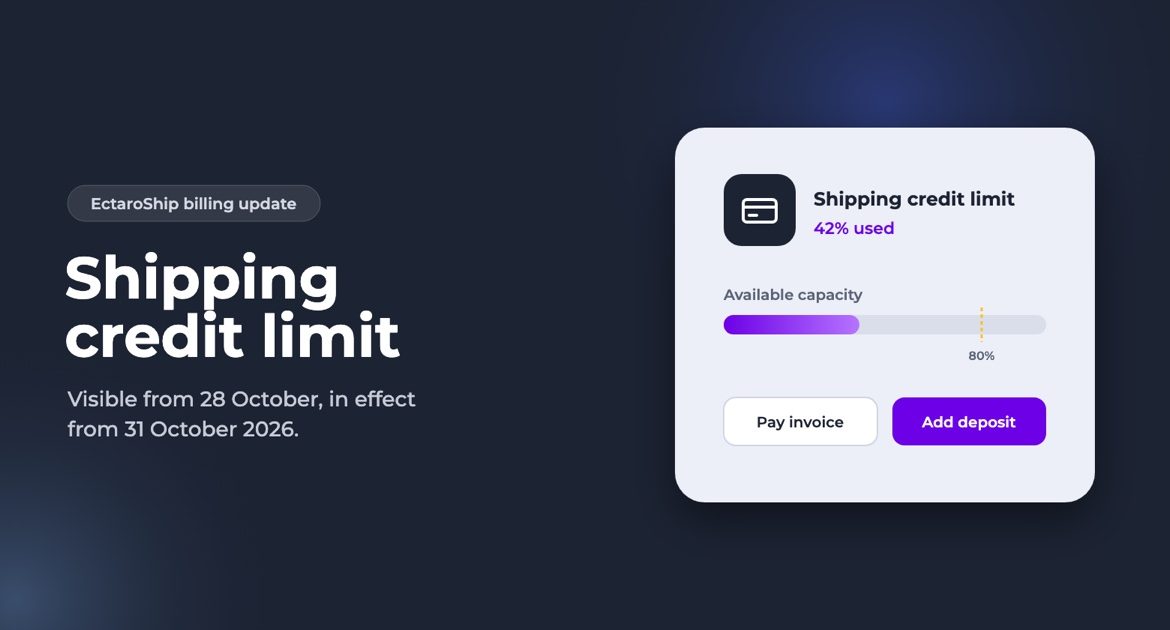
Why we are introducing a shipping credit limit
Across the shipping and fulfilment industry, it is standard practice to work with prepayment or a credit limit. For years, we chose not to. We wanted to keep things simple for you: ship first, pay later on your invoice, with no limits and no deposits.
Over the years, that openness has also been misused. When shipping costs are left unpaid, they do not just disappear. Sooner or later, they end up being carried by the customers who do pay. We do not think that is fair, and we do not want our prices or our service to suffer because of it.
Our goal is simple: to keep offering you the same quality at the same prices. That is why we designed the credit limit so that customers who pay their invoices by the due date will hardly notice it:
- your limit is calculated automatically from your own shipping and payment history;
- your invoices, invoice day and direct debit stay exactly the same;
- a deposit is entirely optional, and you can ask for it back whenever you want;
- if your limit does not fit your business, one ticket is enough: our finance team will review it quickly.
What changes, and when
From Saturday 31 October 2026, every Ectaroship account gets a shipping credit limit. The limit sets how much in outstanding shipping costs you can have at once.
Your limit is visible from Wednesday 28 October. Settings → Payment then shows your limit and your usage, with a note that the limit takes effect on 31 October. Until then nothing is held back. Your limit is calculated automatically by our system from your past shipments and payment history. Do you think it will get in the way of your daily shipping? Open a ticket via Support → Create Ticket in Ectaroship, and our finance team will review it quickly.
What is the shipping credit limit?
Each account has a limit that our system calculates automatically from your shipping volume and payment history. New accounts start with a standard limit. You can see your limit in Settings → Payment, under Shipping credit limit.
How is your usage calculated?
Your current risk is made up of:
- Uninvoiced shipments — labels you created that are not on an invoice yet;
- Unpaid invoice remainder — invoices that have not been (fully) paid.
Your available capacity is your credit limit plus any deposit (see below), minus pending refund requests for that deposit. The bar in Settings → Payment shows the percentage you are using.
What happens when you get close to the limit?
- From 80%, you see a warning in Settings → Payment.
- If a new label would take you over the limit, that label is not created. You get a message right away with the reason and your options.
- Several labels at once (bulk): labels are created until the limit is reached. The overview shows how many labels were created and which orders were held back, so you can process them again later.
- Overdue invoices: with 3 or more overdue unpaid invoices, label creation is blocked until you pay them — even if your limit has not been reached.
How do you free up your limit?
- Pay unpaid invoices — in My Invoices, with the Pay button. The room is available again right after payment.
- Finalize invoice now and pay — from 80% usage you can finalize your current draft invoice (scanned labels) and pay it straight away by iDEAL or card, without waiting for the regular invoice day. Labels that have not been scanned yet are not on it.
- Add a deposit — a refundable security deposit raises your available capacity immediately (see below).
A block because of overdue invoices is only lifted by paying those invoices; a deposit does not lift it.
Finalize invoice now and pay and Add deposit are available from 31 October, together with the limit.
The deposit
- Add it in Settings → Payment → Add deposit, by iDEAL or card, from €10 to €10,000.
- No invoice and no VAT: the deposit is a refundable security, not a payment for a service.
- It only raises your available capacity. It is never applied to your invoices automatically — your invoices are paid as usual.
- Refunds: on the same screen choose Request a refund, with the amount, your IBAN and the account holder name. Our team reviews the request and then transfers the amount to that IBAN. A pending request stops counting towards your available capacity as soon as you file it. For your security, refunds can only be requested when you are logged in, and you receive an e-mail for every request.
- If you leave Ectaroship with invoices still open, we may settle the deposit against those invoices.
What does not change?
Your invoices, invoice day and direct debit stay exactly as they are. You only pay for what you ship.
Using the API or an integration?
Labels created through the API or an integration follow the same limit. A label that is not created comes back with a reason (limit reached, overdue invoices, or “try again in a few seconds”).
FAQ
- Can my limit be raised? Yes. Open a ticket via Support → Create Ticket and tell us briefly why the limit does not fit your shipping. Our finance team reviews it quickly, based on your volume and payment history.
- Why was a label held back while there seemed to be room? Capacity is checked per label, including labels being created at the same moment. Refresh the page and try again.
- I added a deposit — when can I create labels again? As soon as the payment is confirmed, usually within seconds.
- Do I earn interest on my deposit? No.
- What happens to my deposit if I stop using Ectaroship? You get it back. If you still have unpaid invoices at that moment, we first settle the deposit against those invoices and refund the rest.
- I don’t see the limit block. If your limit has not been set yet, you don’t see the block and nothing changes for you for now.