- Go to the integration page of EctaroShip and Select Magento integration.
- Type your integration name for your reference.
- Copy and Paste your webshop URL.
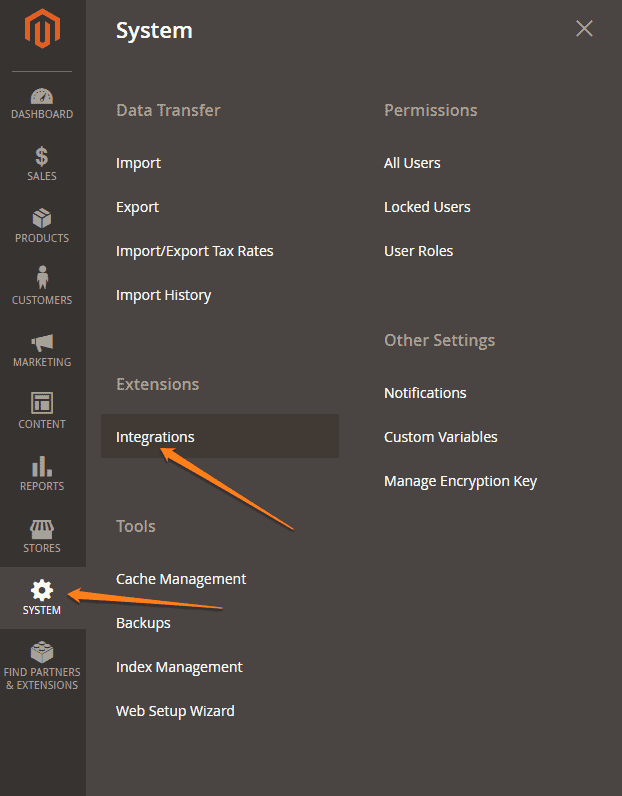
- Then go to your Magento admin panel to get API Keys go to ‘System’> ‘Extensions’ > ‘Integrations.’
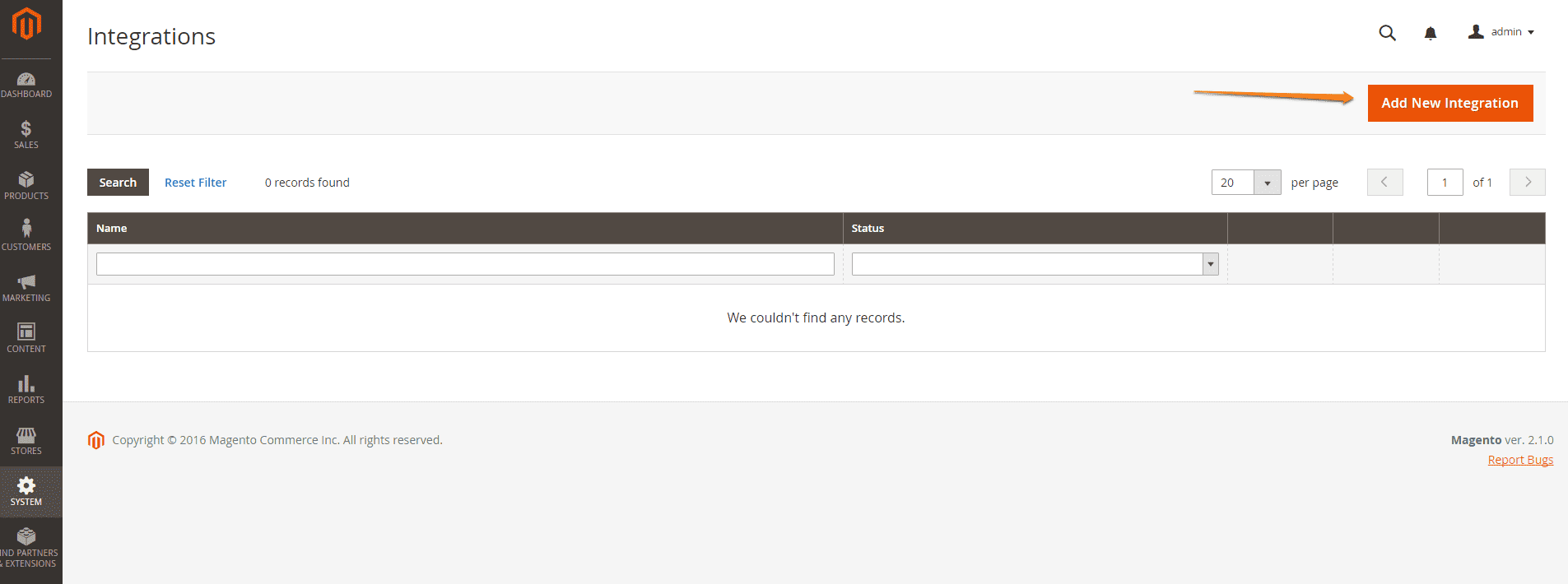
- Click the ‘Add New Integration’ button.
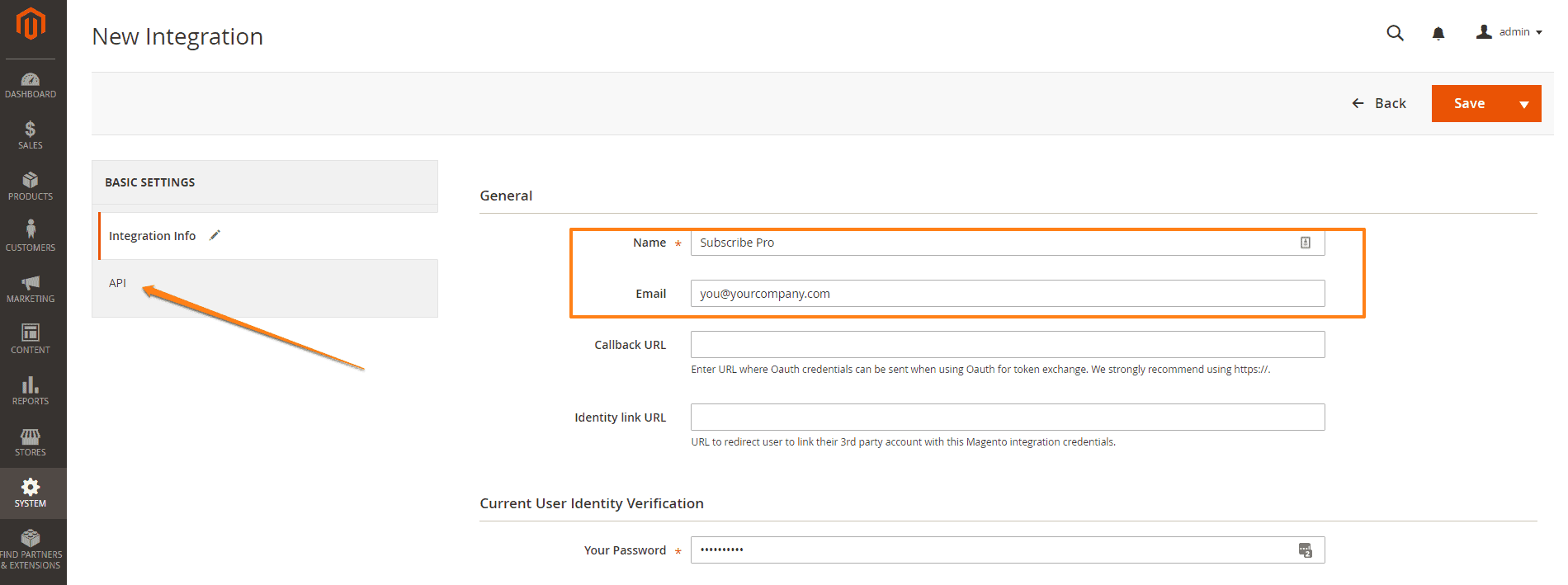
- Enter a descriptive name for the integration. You may write ‘EctaroShip’ here and write a contact email address for the integration. Click ‘Save’ button and then click ‘API’.
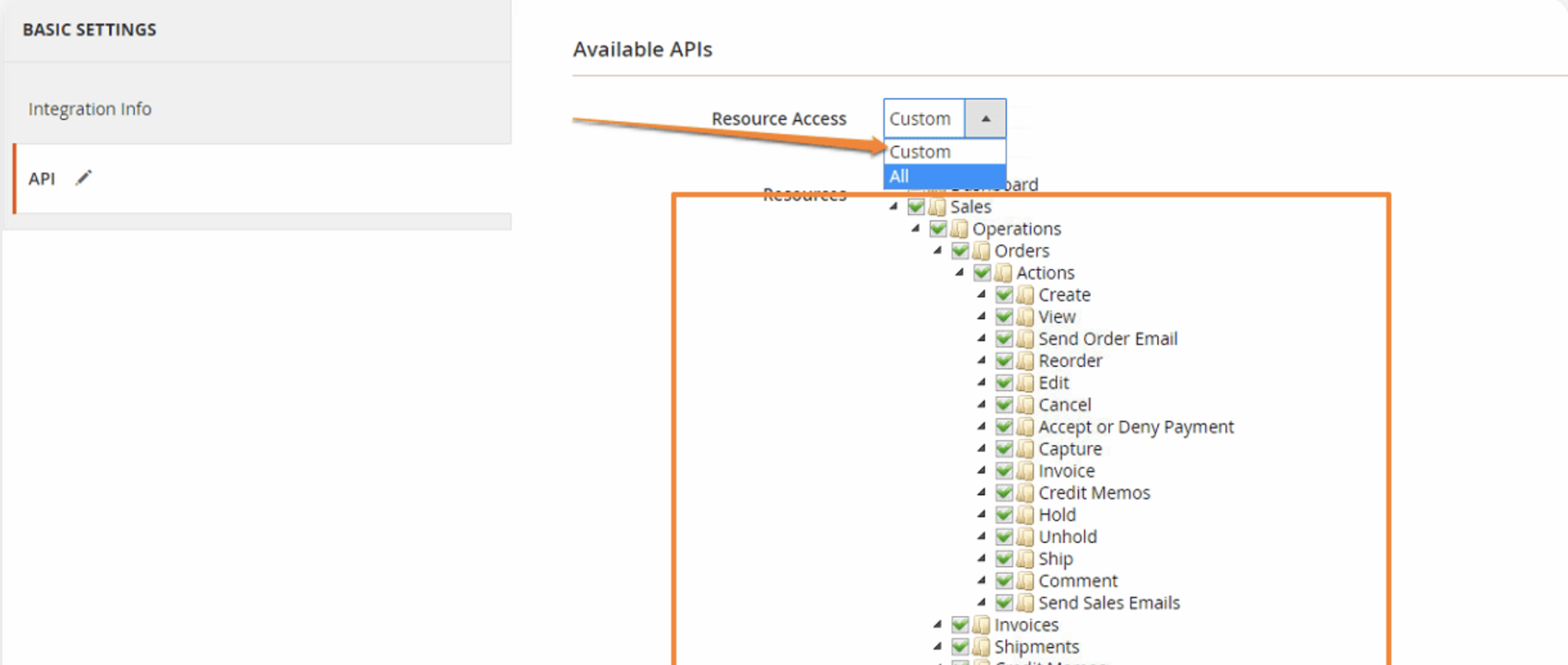
- And grant access to required resources for the integration. You should select at least all sections related to orders and shipments.
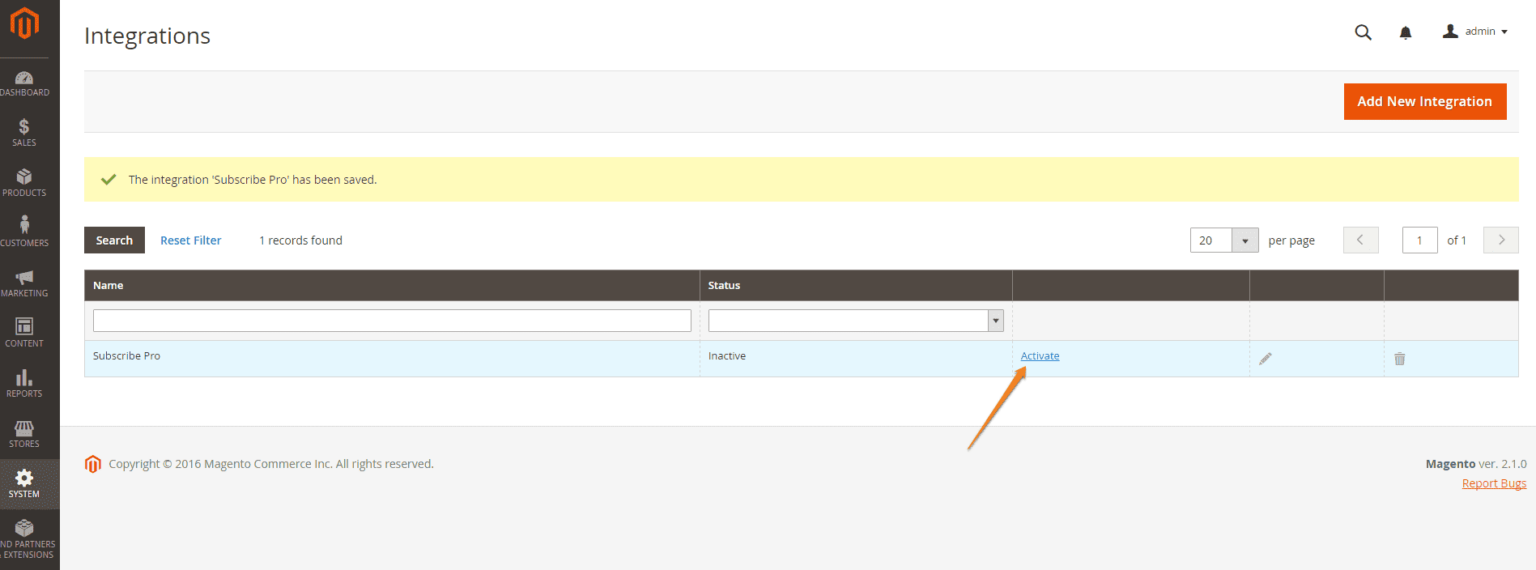
- Return to the ‘Integrations’ grid. Find your new integration and click the ‘Activate’ link next to it. And then click ‘Allow’
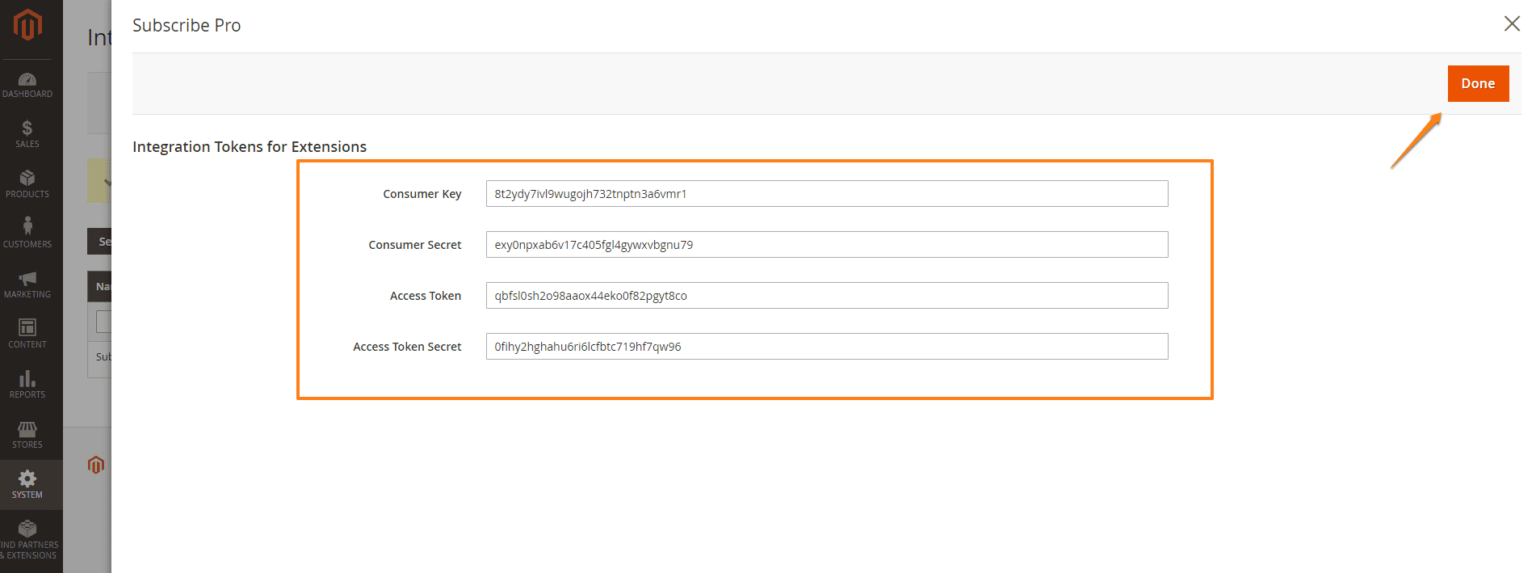
- The following integration tokens will be displayed on the screen: Consumer Key, Consumer Secret, Access Token, and Access Token Secret. Copy and paste all the keys in EctaroShip and click ‘Start integration’ button.